April 
20th
–
April 
24th
CCP300 Accelerated Logix 5000 Maintainer Certificate Level 1

Session title text goes here.

Session description text goes here.

Event Date

Event Title

Event Venue

View Event
Text goes here
X
About
Course Agenda
Venue
All Events
RSVPs Closed
Text goes here
X
April 
20th
–
April 
24th
 | Starting at 
8:00am
CCP300 Accelerated Logix 5000 Maintainer Certificate Level 1
RSVPs Closed
Text goes here
X
RSVPs Closed
Text goes here
X

Course Description

This accelerated course is for individuals who can quickly learn and apply Logix5000TM concepts, terminology, hardware troubleshooting skills, and interpretation of ladder logic in a Studio 5000 Logix Designer® project.


This course prepares you for the Logix5000 Maintainer Certificate Course Level 1 certificate exam, which is included in the course price.

View Course Details
Text goes here
X

Course Summary: CCP300

Price: $4,200

This course is intended for individuals who need to maintain and troubleshoot a Logix5000 system and have current working experience with Logix5000 systems.


Throughout this course, you will have the opportunity to practice the skills you have learned through a variety of hands-on exercises using a ControlLogix® with 5069 Compact I/OTM workstation (Catalog No. ABT-TDCLX4). 

To successfully complete this course, the following prerequisites are required:


Experience reading wiring diagrams
Completion of at least one Rockwell Automation Logix5000 course in the last two years (course completed on or after 11/30/2019)
Pursuing a Logix5000 Certificate for Maintainers


This class will be taught by an instructor from Rockwell Automation.

Agenda

Day 1   8am-4:30pm

  • Understanding Control Systems
  • Locating Logix5000 System Components
  • Connecting a Computer to a Communication Network
  • Assigning IP Addresses for an EtherNet/IP Network using RSLinx Classic Software and Rotary Switches
  • Navigating Through the Studio 5000 Logix Designer Application

Day 2   8am-4:30pm

  • Downloading, Uploading, and Going Online
  • Locating I/O Tags and Devices
  • Interpreting, Monitoring, and Editing Tag Values
  • Isolating Problems in a Logix5000 System
  • Troubleshooting Electrical Problems
  • Troubleshooting Digital I/O Module Problems

Day 3   8am-4:30pm

  • Programming Timer and Counter Instructions
  • Programming Comparison, Math, and Move Instructions
  • Integrated Practice: Programming a Basic
  • Application in Studio 5000 Logix Designer Software
  • Creating a User-Defined Data TypeTroubleshooting
  • Analog I/O Module Problems

Day 4   8am-4:30pm

  • Forcing I/O and Toggling Bits
  • Editing Ladder Logic Online
  • Interpreting Timer and Counter Instructions
  • Interpreting Math, Comparison, and Move
  • Instructions
  • Interpreting Copy and File Fill Instructions

Day 5   8am-4:30pm

  • Interpreting Program Control Instructions
  • Analyzing and Troubleshooting a System Using a Trend Chart
  • Troubleshooting Logix5000 Controller Problems
  • Updating Logix5000 Firmware
  • Managing Studio 5000 Logix Designer Project Files

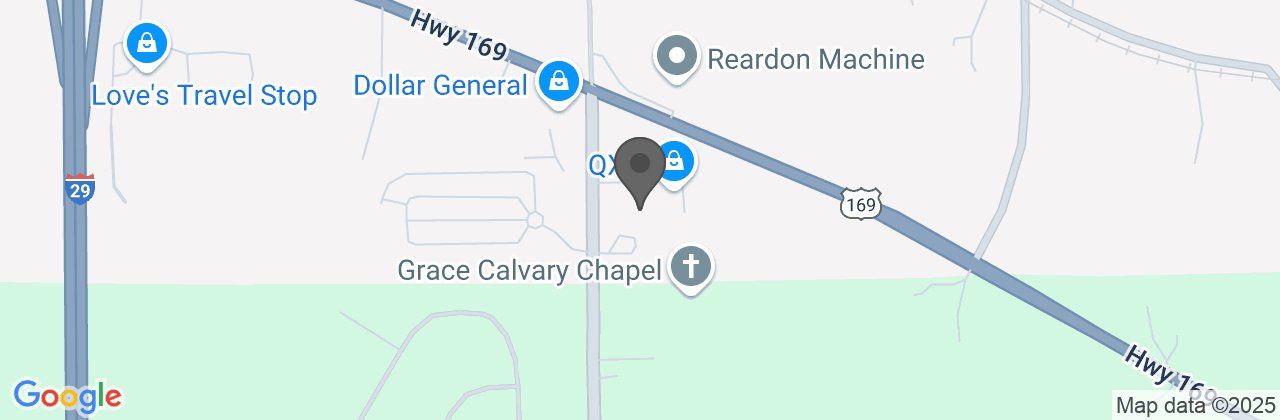
Venue

map-1748806253.960x210.png

Upcoming Events

All Events
Text goes here
X

Copyright © 2026 Industrial Solutions Network by CED, Inc.

Legal Notices | Privacy & Cookies Policy

Contact Us
Text goes here
X
Back to Site
Text goes here
X
[confirmation_headline]
[confirmation_messaging]
Add to Calendar
Text goes here
X
[confirmation_headline]
[confirmation_messaging]
Share with Friends
Facebook
Twitter
LinkedIn
Link
CONTACT THE ORGANIZER
Google   Outlook   iCal   Yahoo
Sorry, RSVPs have closed.